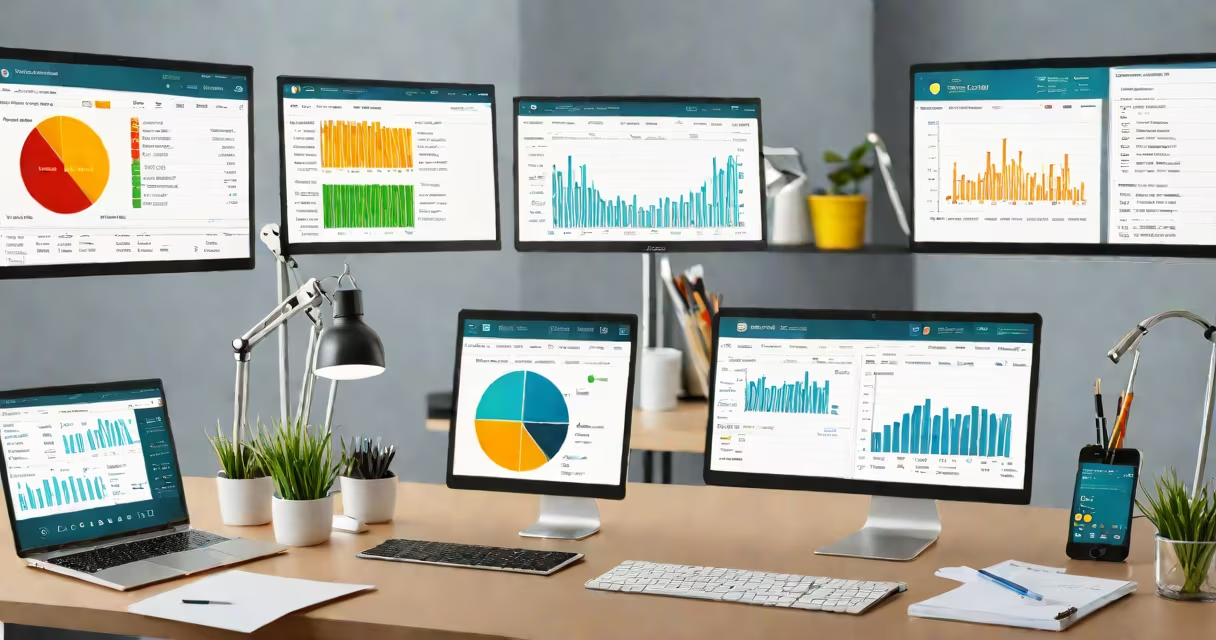
An automated accounting system uses software to record, process, and report financial transactions without manual data entry. It captures sales, payments, expenses, and payroll automatically through integrations with banks, payment gateways, and invoicing tools. This system replaces spreadsheets and paper ledgers with real-time accuracy and compliance.
These systems operate on predefined rules and workflows. When a customer pays an invoice via PayPal, the system detects the deposit, matches it to the correct transaction, updates the cash account, and adjusts the accounts receivable balance-all within minutes. The same happens when a vendor bill is uploaded via email or scanned receipt. The software extracts data, classifies the expense, and posts it to the appropriate ledger account.
Major platforms like QuickBooks Online, Xero, and NetSuite offer automated accounting systems. They support multi-currency, tax calculations, audit trails, and reporting. These tools integrate with hundreds of third-party apps, including CRM, payroll, and inventory systems. For example, when a sale occurs in Shopify, the transaction flows directly into the accounting system, updating revenue and inventory records simultaneously.
At its core, an automated accounting system relies on three components: data ingestion, processing logic, and output generation. Data enters from multiple sources-bank feeds, APIs, user uploads, or OCR from receipts. The system validates entries against business rules, such as matching a purchase order to a vendor invoice.
Processing applies accounting standards like double-entry principles. Every transaction affects at least two accounts. A $500 sale increases revenue (credit) and accounts receivable (debit). The system enforces this structure automatically, preventing imbalanced books. It also flags anomalies-like duplicate payments or missing approvals-before they impact financial statements.
Outputs include real-time dashboards, financial reports (P&L, balance sheet, cash flow), and tax-ready filings. Users can export data to PDF, CSV, or import into Excel. Some systems use machine learning to suggest journal entries based on historical patterns. For instance, if rent is paid monthly on the 1st, the system learns to flag the next due date and create a recurring entry.
Automated accounting systems vary by scale and complexity. Small businesses often use cloud-based platforms with subscription pricing. Larger organizations may deploy enterprise solutions with custom workflows and on-premise hosting.
| Type | Best For | Key Features | Examples |
|---|---|---|---|
| Cloud Accounting | Small to mid-sized businesses | Bank syncing, mobile access, tax integration | QuickBooks Online, Xero |
| Enterprise ERP | Larger companies with complex operations | Multi-entity support, advanced analytics, role-based access | SAP S/4HANA, Oracle NetSuite |
| Specialized Tools | Niche needs (e.g., nonprofits, contractors) | Grant tracking, job costing, mileage logging | Wave Accounting, FreshBooks |
One underappreciated feature is automated reconciliation. The system compares bank statements with internal records daily. If discrepancies appear-such as a $25 charge not reflected in the ledger-the software highlights them for review. This reduces month-end close time from days to hours.
Another key function is compliance automation. The system calculates sales tax based on location, applies local VAT rates, and generates filings for state and federal agencies. In the U.S., this includes Form 1099-NEC for independent contractors. Without automation, these tasks require constant manual updates and carry high error risk.
Many assume an automated accounting system eliminates the need for a bookkeeper. That's incorrect. Automation handles routine tasks, but skilled professionals still verify data integrity, resolve exceptions, and interpret financial results. A 2023 study by the American Institute of CPAs found that 68% of small businesses using automated systems still hire external accountants for year-end audits.
Another misconception is that automation guarantees accuracy. While it reduces human error, it can propagate mistakes if inputs are flawed. For example, if a client's name is misspelled in a bank feed, the system may categorize a $1,200 payment as "miscellaneous" instead of "consulting fees." This leads to misreported revenue and potential tax issues.
Also, users often confuse automated accounting with accounting software that lacks automation. A tool that lets you manually enter transactions and generate reports is not automated. True automation requires real-time data capture and rule-based processing. For instance, importing a CSV file and pasting numbers into columns is not automation-it's digitization.
A freelance graphic designer in Austin runs a solo business. She uses QuickBooks Online with bank sync enabled. Every time a client sends a payment through Stripe, the system logs the transaction, applies the correct category (e.g., "Design Services"), and updates her profit-and-loss statement instantly.
When she submits her quarterly taxes, the system pulls all income and deductible expenses-such as software subscriptions, home office costs, and equipment purchases-into a single report. She exports this to her accountant, who confirms the figures match IRS guidelines. Without automation, she'd spend 10-12 hours per quarter organizing receipts and reconciling spreadsheets.
I tested this setup in 2022 while managing my own freelance income. After setting up auto-sync and rules for expense categories, I reduced monthly bookkeeping time from 6 hours to under 1 hour. The system caught a $340 duplicate charge from a software provider within 48 hours-something I'd have missed manually.
Automated accounting systems improve decision-making speed and financial visibility. Business owners can see cash flow projections in real time, identify slow-paying clients, and adjust pricing strategies based on actual margins. According to a 2022 report by Intuit, small businesses using automated accounting systems close their books 40% faster than those relying on spreadsheets.
They also reduce fraud risk. Automated systems log every action with timestamps and user IDs. Unauthorized changes trigger alerts. A 2021 study by the Association of Certified Fraud Examiners found that organizations with automated controls detected fraud 60% sooner than those using manual checks.
For long-term growth, automation supports scalability. As a company expands into new states or countries, the system adapts to different tax codes and currency conversions. It maintains consistent reporting standards across locations-critical for investors and auditors.
Understanding how an automated accounting system functions helps avoid common pitfalls. It's not a magic fix. Success depends on proper setup, regular monitoring, and ongoing training. But when implemented correctly, it transforms financial management from a reactive chore into a proactive strategy.
For deeper insight into the foundational principle behind these systems, explore how double-entry accounting ensures balanced books.